
Roller Doors
Overview
Quotec LIVE allows members to design and configure roller doors as part of their steel building projects, with options for door dimensions, colours, motors and windlock requirements.
With the enhancements introduced in Version 2.09, members now have access to Steel-Line non-windlocked roller doors for eligible buildings in Wind Region A.
This addition provides greater flexibility when selecting roller doors and an opportunity to reduce building costs where a non-windlocked door meets the required design wind pressures.
This guide explains how to:
-
Understand the difference between windlocked and non-windlocked roller doors.
-
Select and configure roller doors in the Designer.
-
Review the completed configuration before preparing a quotation.
Understanding Windlocked and Non-Windlocked Roller Doors
Roller doors are subject to wind pressures that can affect their operation and structural performance.
Windlocked Roller Doors
Windlocked roller doors incorporate specialised retention systems designed to help keep the door curtain within its guide tracks under higher wind pressures.
Non-Windlocked Roller Doors
Non-windlocked roller doors use conventional guide arrangements and may provide a more economical alternative where the calculated design wind speed permits their use.
The appropriate configuration depends on the building's design conditions and the manufacturer's product performance requirements.
New in Version 2.09 — Steel-Line Non-Windlocked Doors
Steel-Line non-windlocked roller doors are now available for eligible Wind Region A buildings.
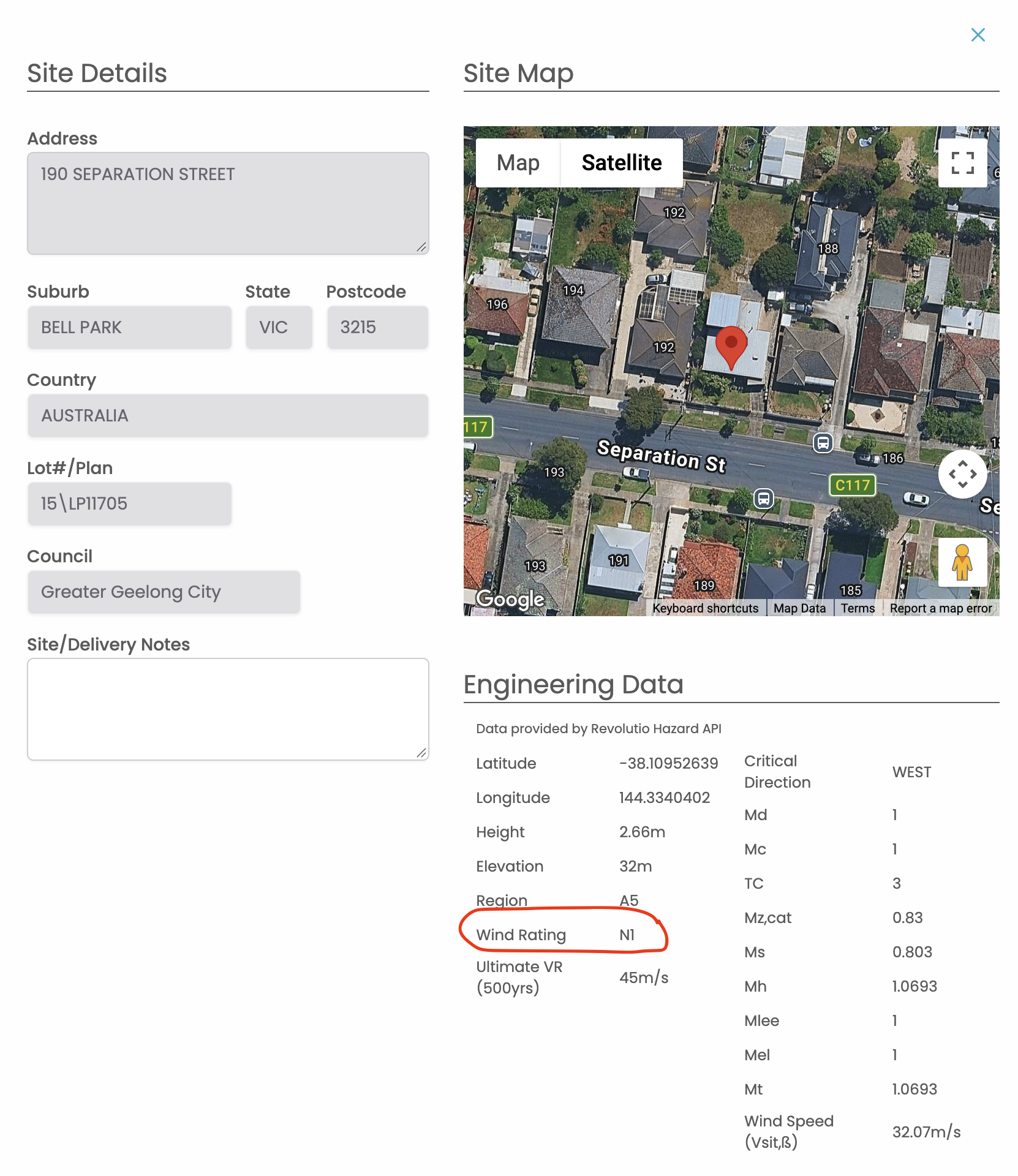
When a job is created, Quotec LIVE automatically determines the wind region and calculates the design wind speed using the location information provided in the initial Job Wizard.
This engineering information is used to determine the suitability of available roller door configurations.
Where a non-windlocked door is suitable, members may benefit from reduced material costs and more competitive quotations.
Step 1 — Add a Roller Door
To add a roller door to your building:
-
Open the Quotec LIVE Designer.
-
Select Roller Doors from the configuration menu.
-
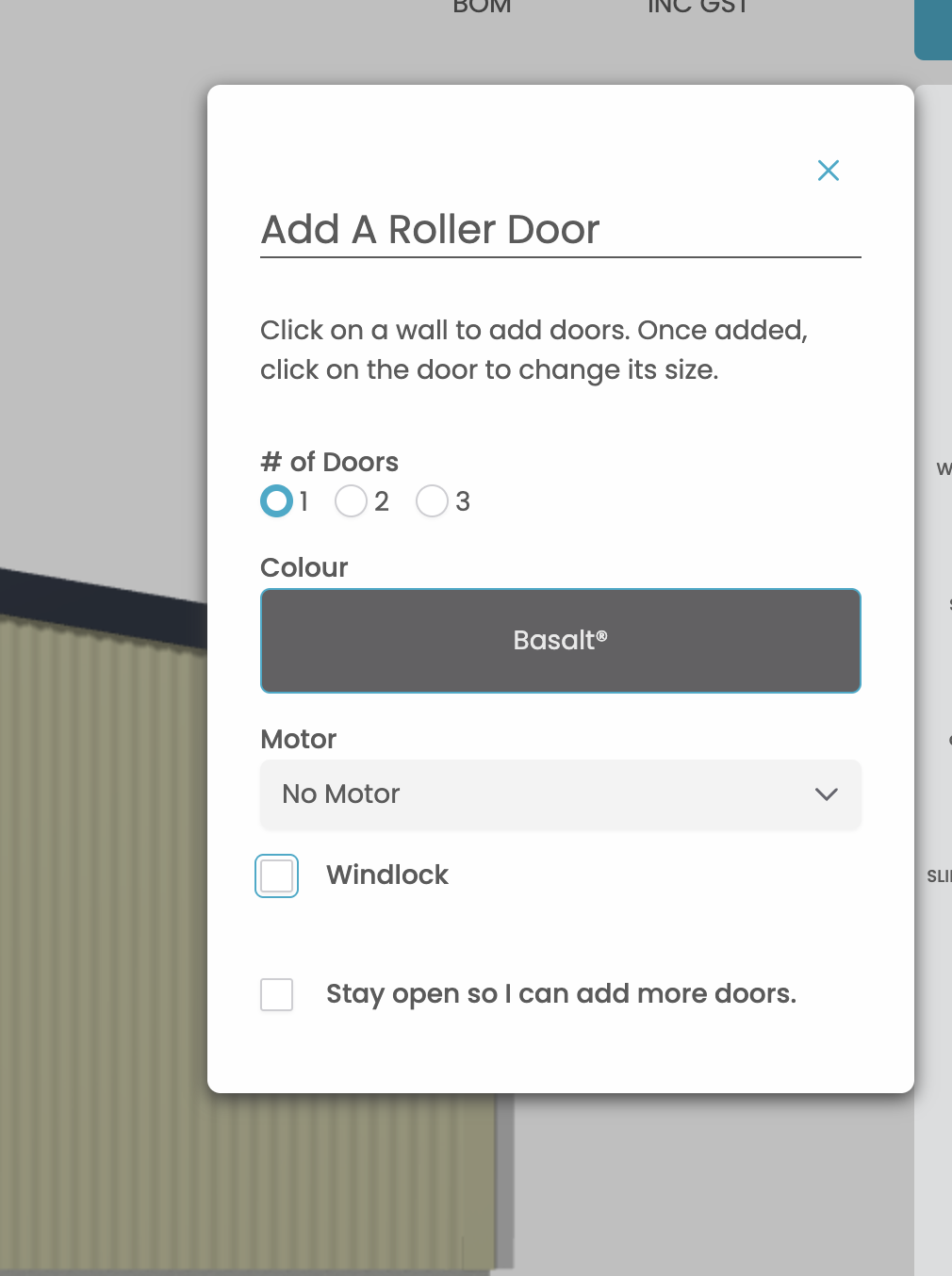
In the Add A Roller Door panel, choose the number of doors required — 1, 2 or 3.
-
Select your preferred Colour.
-
Choose a compatible Motor, if required.
-
Review the Windlock option.
-
Click on the wall where you would like to add the roller door.
Once the door has been added, click on it to adjust its size.
Selecting the Windlock Option
The Windlock checkbox allows members to specify whether a windlocked roller door is required.
-
Windlock selected: A windlocked roller door configuration is requested.
-
Windlock not selected: A non-windlocked configuration may be available, subject to the calculated design wind speed and supported product specifications.
Quotec LIVE uses the building's engineering data to determine the applicable door options.
Tip: Where a non-windlocked door is available, compare the resulting quotation to determine whether the alternative provides a cost saving for your customer.
Step 2 — Review Your Completed Design
Once the roller doors have been added, review the building in the Designer.
Confirm that:
-
The correct number of doors has been added.
-
Door dimensions and positioning are appropriate.
-
The required colours and motors have been selected.
-
The windlock configuration is appropriate.
-
The final quotation and Bill of Materials reflect the selected configuration.
Need Assistance?
If you have questions about roller door selection, windlock requirements or the available configurations, please contact the Quotec Support Team.
For further information, visit the Quotec Help Centre.
Related Help Files