
Managing Supplier Price Rises
Price your project using future supplier pricing to prepare for upcoming price increases.
Applies to: Quotec LIVE
Module: Job Pricing
Overview
Projects are often quoted weeks before materials are ordered.
If your suppliers have announced an upcoming price increase, you can use Price Date to calculate the job using the pricing that will apply on a future date.
This allows you to:
-
Prepare quotations based on future supplier costs.
-
Protect your profit margins.
-
Understand the impact of upcoming price increases before issuing a quote.
-
Reduce the need to revise quotations after supplier pricing changes.
Before You Begin
Future pricing will only be available if a supplier price file has been uploaded with an effective date matching or preceding your selected Price Date.
Read more about:
Plan Ahead for Cost Variations
If no future price file exists, Quotec will continue to calculate pricing using the most recent available supplier costs.
Pricing a Job Using a Future Date
Step 1 — Open the Job Designer
From Job Management, locate the required job and click DESIGN.
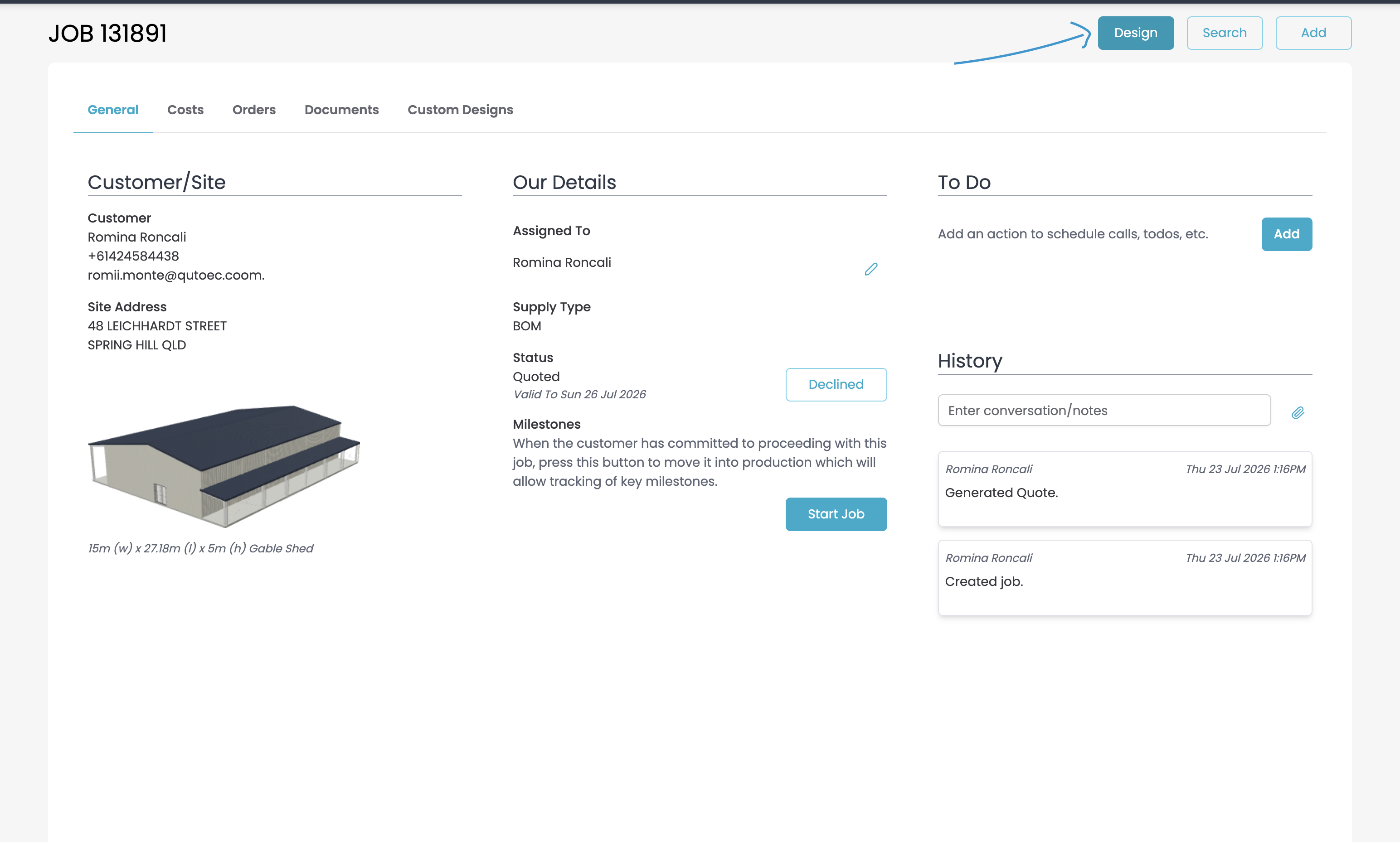
This opens the building within the Quotec Designer.
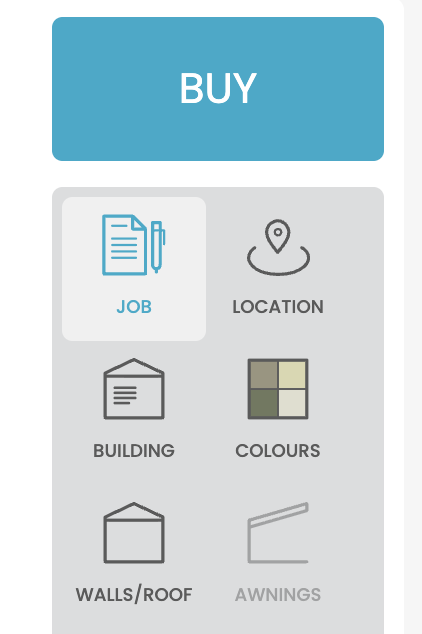
Step 2 — Open Job Details
Within the Designer, select JOB from the menu on the right-hand side.
This opens the Job Details window.
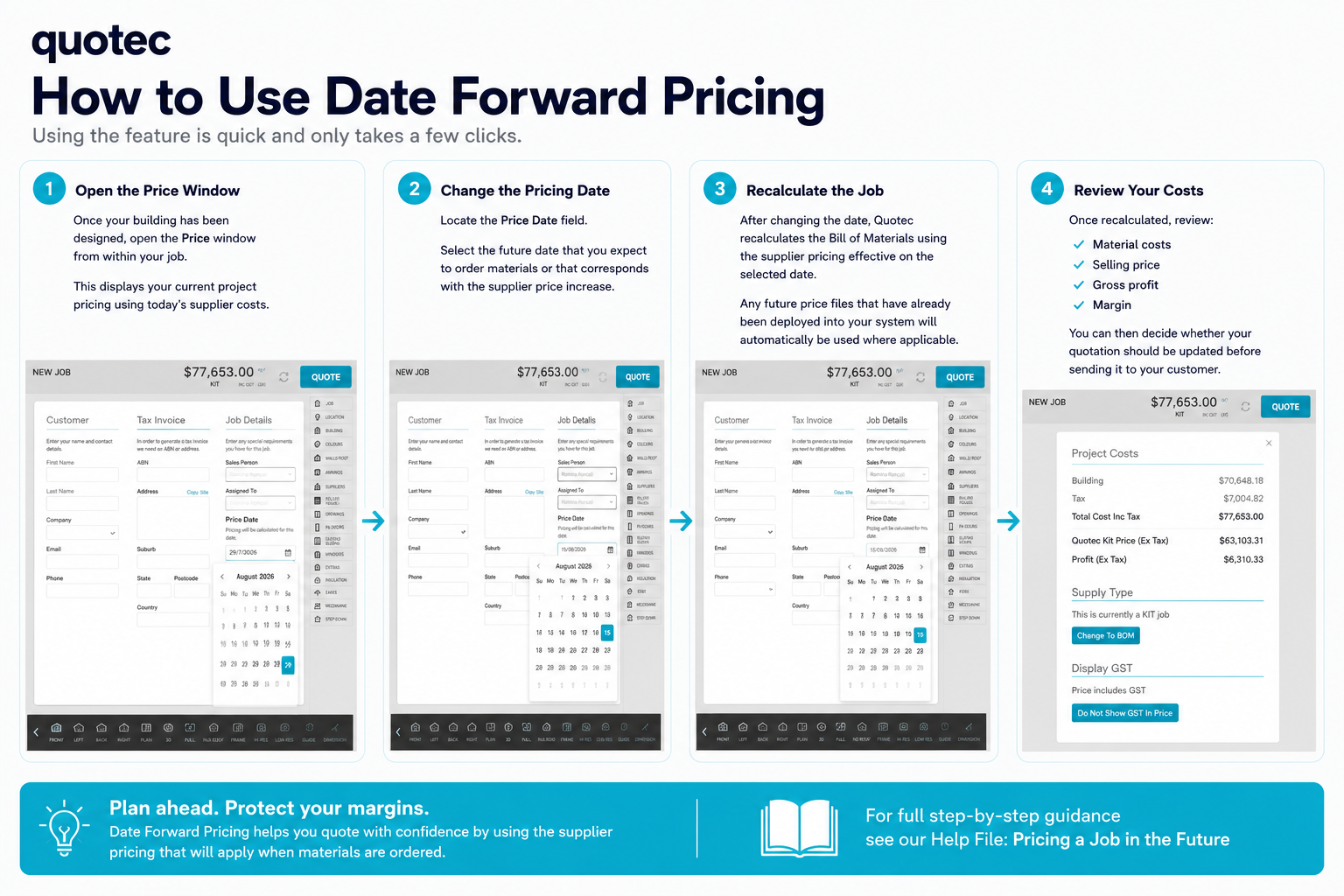
Step 3 — Select the Price Date
Under Job Details, locate the Price Date field.
Select the date you wish to use for pricing.
Quotec will automatically calculate the project using the supplier pricing effective on the selected date.
What Happens Next?
After selecting a new Price Date, Quotec recalculates the project using the applicable supplier price files that have already been deployed into your system.
You can then review:
-
Material costs
-
Selling price
-
Gross profit
-
Margin
This allows you to determine whether your quotation should be updated before providing it to your customer.
Industry Tip
Use Date Forward Pricing whenever supplier price increases have been announced or when you expect materials will be ordered after new supplier pricing comes into effect.
This helps ensure your quotations accurately reflect future material costs and reduces the risk of unexpected margin erosion.
Read more about how to Protecting Your Margins with Date Forward Pricing in Quotec
Need More Help?
Continue exploring Quotec through the following resources:
-
Release Centre – Discover the latest product updates and new features.
-
Help Centre – Browse guides, best practice articles and technical documentation.
Need assistance?
📧 support@quotec.com.au
📞 (02) 5302 8357
Built for those who build.
Quotec is continually evolving through feedback from our members and ongoing investment in the Australian shed industry.