
Here are some common cases you can use to help you get started.
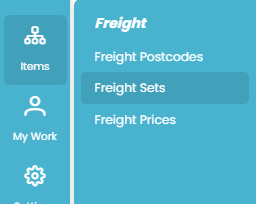
To set up a freight set go to ITEMS >> Freight Set.
Flat Fee For An Order To Anywhere
-
Set up a freight set with:
-
Calculate Freight Amount By : Order
-
Courier Company: Unknown
-
Region Lookup Method: First
-
Category Lookup Method: First
-
-
Add one region to the list with a Code of ALL (or press the Suggest button).
-
Add one category to the list with a Code of ALL (or press the Suggest button).
-
Create a price set for this freight set.
-
Add one price for the ALL region and ALL category and set the amount to the fee you will be charged.
Different Flat Fee For Site, Reseller, Supplier
-
Set up a freight set with:
-
Calculate Freight Amount By : Order
-
Courier Company: Unknown
-
Region Lookup Method: First
-
Category Lookup Method: Address Type
-
-
Add one region to the list with a Code of ALL (or press the Suggest button).
-
Add three categories to the list with Codes of ALL-CONS, ALL-RESELLER,ALL-SITE (or press the Suggest button).
-
Create a price set for this freight set.
-
Add a price record for each region/category combination (three in total) and set the amount to the fee you will be charged.
Flat Fee For Each Item To Anywhere
-
Set up a freight set with:
-
Calculate Freight Amount By : Item
-
Courier Company: Unknown
-
Region Lookup Method: First
-
Category Lookup Method: First
-
-
Add one region to the list with a Code of ALL (or press the Suggest button).
-
Add one category to the list with a Code of ALL (or press the Suggest button).
-
Create a price set for this freight set.
-
Add one price for the ALL region and ALL category and set the amount to the fee you will be charged.
-
Quotec will process each item and apply the fee to each one resulting in one overall freight amount.
Flat Fee For Each TYPE Of Item To Anywhere
-
Set up a freight set with:
-
Calculate Freight Amount By : Item
-
Courier Company: Unknown
-
Region Lookup Method: First
-
Category Lookup Method: Item’s Freight Category
-
-
Add one region to the list with a Code of ALL (or press the Suggest button).
-
Add a category for each type of item, e.g. SMALL, MEDIUM, LARGE. use whatever codes make sense to your situation.
-
Create a price set for this freight set.
-
Add a price record for each region/category combination and set the amount to the fee you will be charged. e.g. ALL/SMALL = $10, ALL/MEDIUM = $20, ALL/LARGE = $30.
-
Do a cost export. In the Freight Category column of the spreadsheet, set the code to whatever category code you set up, e.g. SMALL, MEDIUM, LARGE. Import the costs.
-
Quotec will process each item, look up its freight category then use that to determine the price to use. This will result in one overall freight amount.